
Many times you have used ChatGPT to draft an email but not happy with the output because it does not writes in your style.
The wait is over, use the following steps and prompt to slove this problem.
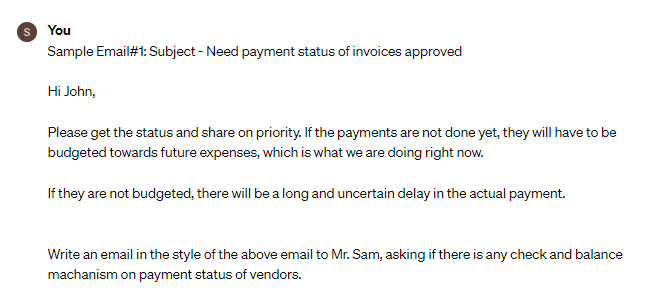
Step 1 – Keep one email ready as a sample for ChatGPT, which is written by you.
Step 2 – Now go to “Message bar” copy and paste the sample email along with prompt in the last.
Prompt:

Write an email in the style of the above emails to [receiver's name] [purpose of writing email or agenda or intent].
User Input
Note: You can use more sample emails for better response.
AI Output
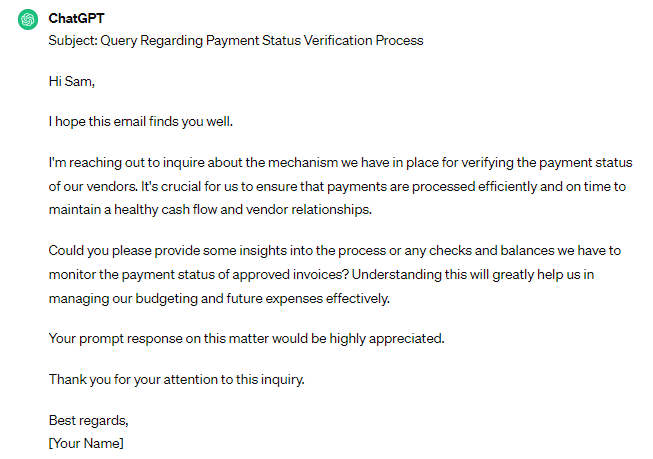
Click on “Regenerate” if you are not satisfied with the AI Output

Impotant Note: “Always remember to read the output generated by AI, do not simply copy, paste and share.”





 Prompt Potential